"Every Setback Is A Setup
For A Comeback."
This Weeks Prompt Tip The Data Narrator Use this when you have a spreadsheet or analytics report and need to tell a story with it. The Prompt: Act as a data analyst and business storyteller. I will share marketing performance data below. Identify the two or three most important trends, flag any anomalies worth investigating, and write a three-sentence executive summary I could include in a client update or internal report. [Paste data] Why it works: Numbers do not explain themselves. This turns a wall of data into something a human can act on.
TIP: Turn these prompts (along with others you may already have) into something reusable. Instructions and Downloadable copy of my spreadsheet (prompt vault) are located at the bottom of this newsletter.
|
The margin for error on social just hit zero. While most brands are still worried about where their banner ads pop up, the real threats have moved into AI-generated chaos and decentralized
communities that can tank your reputation before your PR team even has their morning coffee. If you're still using a "reactive" strategy, you're essentially waiting for a fire to start before looking for a hose. This blueprint changes the game on reputation management. It covers the exact threshold triggers you need to set up to catch a crisis before it trends, plus the hidden filters that reveal an influencer's "red flag" history before you ever cut the check. It’s the closest thing to an early-warning system for your brand equity that we've seen in a long time. If you aren't looking at your security through this specific lens, you’re flying blind in a very volatile room.
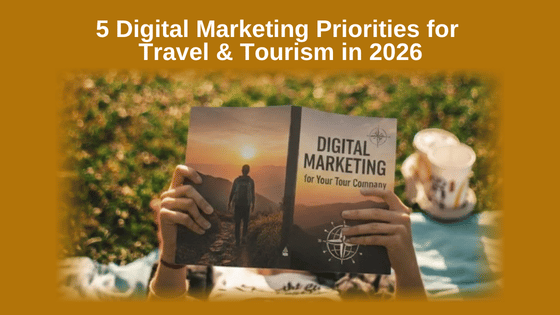
If you’re feeling like the digital goalposts keep moving, you aren't imagining it. The old "just get a website" advice is dead, and
the pressure to master AI, complex data tracking, and high-tech funnels is enough to make anyone want to pull the plug. It feels like you need a computer science degree just to get a few more customers through the door, and the fear of wasting your hard-earned savings on tools that don't work is a constant weight on your
shoulders. Even if you aren’t in the travel and tourism industry, the five core shifts revealed in this guide are strategies you cannot afford to ignore. You’ll discover how to
bypass the "geek-speak" and use practical, automated systems to personalize your customer's journey and turn social media into a reliable sales machine rather than a massive time-sink. It’s time to stop feeling like a frustrated bystander and start making the Internet finally work for you.
You’re likely working your tail off trying to scale while your family time slowly vanishes into a sea of browser tabs and "urgent" content tasks. If
you’ve ever felt like your business "strategy" is just a messy pile of random chores rather than a clear path to that 6-figure goal, you aren't alone. It’s a lot of fiddling around for very little payoff, and if you're one of the seven or eight people left who thinks "winging it" will work in 2026, well, you might be in for a
bit of a surprise. I recently found a 4-step breakdown that simplifies the whole "where are we going" mystery. Similar to the guide I mentioned earlier on 5
Digital Priorities for the Travel & Tourism niche, this new roadmap focuses on the Charity sector, but you definitely don't need to be in that niche to squeeze the juice out of these tips. It’s a straightforward way to look at your business through your visitor's eyes and spot exactly where you're wasting effort. No big deal, just follow along and you’ll see how to align your output with what actually gets results, without the usual burnout.
You pour your heart and soul into creating high-quality training, but if your headline doesn't grab them by the throat, all that hard work just sits there gathering digital dust. It’s a huge bottleneck, you have the solution they need, but you’re stuck playing a guessing game with your titles, watching your click rates stay flat while you burn the midnight oil trying to stay relevant. There are actually specific "types" of
headlines that do the heavy lifting for you, and once you know which one to pick for your specific offer, the constant pressure to be "clever" just evaporates. This breakdown shows you exactly how to structure your titles based on the psychological trigger you want to pull, so you can stop overthinking and get back to
the parts of your business (and family life) that actually matter.
It feels like every time you blink, there’s a new "robot" tool promising to fix your life, but mostly they just make you sound like a cheap imitation of yourself. If you’re already redlining your schedule trying to keep your business running and your family happy, the last thing you need is to attach your reputation to something that feels soul-less. You want to grow your impact, not become a generic AI whisperer. There is actually a way to use these tools to build a premium, high-value service that people will pay for, without you having to sell your soul to the tech gods. This approach is about positioning yourself as the expert who
knows how to "squeeze the juice" out of the technology while keeping your own unique voice front and center. It’s the ultimate shortcut to scaling your efficiency so you can finally stop fiddling around with the tedious stuff and focus on what really matters.
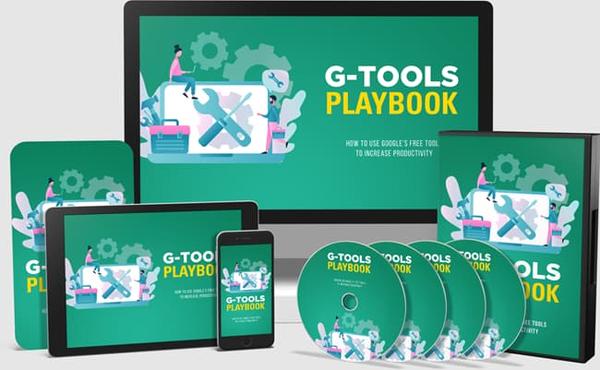
Promotional ad Building a Community With Google Classroom and other Google AI
Tools
Most people use AI tools in isolation.
A smaller group is starting to connect tools like Google Classroom, NotebookLM,
and Gemini into structured learning systems that actually guide people through content.
This new training shows exactly how to do that, step by step, over the shoulder.
It walks through:
• Using Google Classroom as a central hub
• Organizing knowledge with NotebookLM
• Using Gemini to guide understanding
and generate insights
• Creating structured learning flows instead of random content
• Sharing and collaborating on AI-supported materials
Instead of theory, it focuses on real workflows for courses, communities, and training environments. Here is a quick
look at what you get in the main package: (There are a few OTOs but none are required for the main offer to work. If you are building a learning center then some of the OTO titles might help.) 15 Over-the-Shoulder MP4 Videos
15 Companion MP3 Audios
15 Written Summaries
15 Slide Presentations
15 Contextual
Screenshots
E-covers and full sales materials
Check out the Offer and the rest of the details inside
Why I Don't Sell AI to Local Businesses (Despite What Gurus Claim) In this video, we will
cover that targeting local brick-and-mortar stores may not be the best strategy for scaling an AI automation agency due to severe lead generation limits and high outreach costs. Ultimately, the argument is for prioritizing digital B2B clients, as their global scalability, familiarity with software, and a few
more bucks to spend on your services allow for much faster business growth.
*Instructions & Downloadable Prompt Vault Spreadsheet Turn these/your prompts into a reusable asset. The easiest way to do that is with a simple Google Sheet. Create one sheet (or click here to get a copy of mine) and use one row per prompt. Drop in the prompt from each newsletter, make a quick note about what you used it for, and jot down what worked or didn’t. Over time, you’ll build your own prompt vault made up of prompts you already know work for your business. That is the goal of
this weekly section. Not just ideas, but assets you can reuse again and again. *NOTE: Using my Google Sheet template, you will be asked to make a copy instead of asking me for editing permission of the original. Once you click the Make Copy button, the sheet will be added to your Google Drive. If you are not
already logged into a Google account, it will prompt you to log in. Once you have the “Copy of Weekly Prompt Vault,” you can click into the title area (top-left) and change the name to whatever you want or leave it - it’s yours to do with whatever you want.
Next is the 'Heart' of my biz, Google
Workspace Google Workspace has my email, online storage, Gemini Pro and other AI tools (Nano Banana, NotebookLM, Veo 3.1, and More) My Link takes you to the pricing and features page. Personally I have 1 Standard (for the extra
storage and upgraded AI tools), and 4 Starters for my various domains and the 'business' level email service. Here is my link and if after having a look, you want a Starter or Standard plan, let me know and I'll provide a 10% discount coupon for an entire year for whichever plan you choose. https://referworkspace.app.goo.gl/Xouo
Next is the payment processor My Payment Processor: Thrivecart
|
|





 Thank you for checking out this week's Newsletter. Here is a little house cleaning while you are here:
