Don’t Be Afraid To Ask Dumb Questions. Better a dumb question than a dumb mistake.
This Weeks Prompt Tip The Competitor Decoder Use this when you want to understand why a competitor's content or campaign is working. The Prompt: Act as a digital marketing strategist. Analyze the following competitor content or campaign: [paste URL or description]. Identify the core message, the audience it targets, the emotional trigger it uses, and one tactic I could adapt for my own brand without copying it. Why it works: It turns competitor-watching into something actually useful. You stop envying and start learning.
TIP: Turn these prompts (along with others you may already have) into something reusable. Instructions and Downloadable copy of my spreadsheet (prompt vault) are located at the bottom of this newsletter.
|
If you’ve ever wondered what AI actually “sees” when it visits your website, this one’s worth your time. This deep dive from Search Engine Journal pulls back the curtain on how AI crawlers, including newer
players like ScrunchAI, process modern sites, especially single-page applications that rely heavily on JavaScript. In plain English, it shows why some pages shine in AI results while others barely register. Here’s the kicker. Just because your site looks great to human visitors doesn’t mean AI can fully understand it. The article
breaks down how rendering, content loading, and site structure impact what AI tools can access, interpret, and ultimately surface in answers. If you care about showing up in ChatGPT-style results, AI overviews, or answer engines, this is one of those “better read this now” guides.
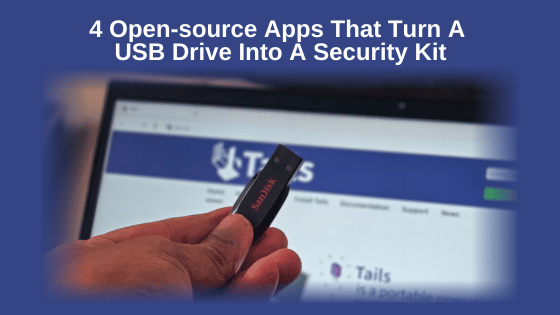
I carry a USB drive pretty much everywhere, mostly for quick file transfers between PCs. But at some point, I realized I could
do a lot more with it than just moving files around. For instance, you can turn any old USB drive into a physical security key. With the right apps, that same USB
stick can double as a portable security toolkit. These are open-source apps that turn a regular flash drive into something far more useful, from locking your PC the moment you unplug it to carrying an encrypted password vault that works on any computer. And all of these apps work without needing installation, and they all run straight from the USB.
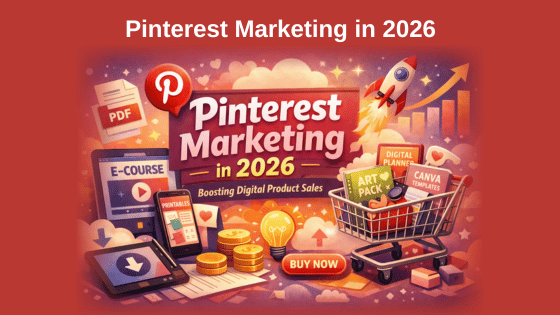
According to Pinterest Business, 85% of weekly Pinners have made a purchase based on Pins they saw from brands, making the platform one of the highest-intent social channels for ecommerce and content marketing. Marketing on Pinterest offers unique advantages for businesses. Pinterest offers long content lifespan (Pins continue driving traffic for months or years), high purchase intent among users, strong visual discovery
capabilities, and excellent organic reach compared to other social networks. This comprehensive guide explores proven Pinterest marketing strategies, tactical tips, essential tools, and advertising approaches that help businesses maximize results from this powerful visual
platform.
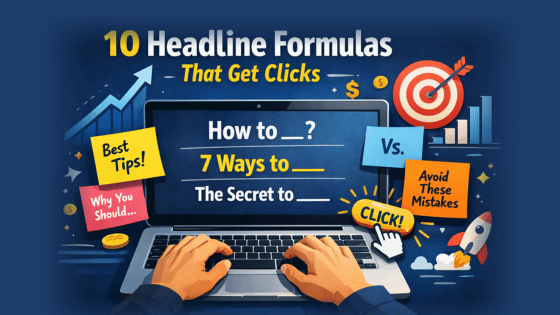
Your blog post could be pure gold, but it might as well be invisible if your headline doesn’t grab the reader’s attention. For small
business owners competing in crowded markets, your blog post’s headline is often the first — and sometimes only — chance to make an impression on a reader-slash-potential-customer. So while there’s no surefire words, formats, or magic wand we can wave to help you get more clicks on your blog posts, the next best
thing is that we do have 10 proven formulas to share that you can put to work immediately (plus a simple template to help you craft winning headlines every time).
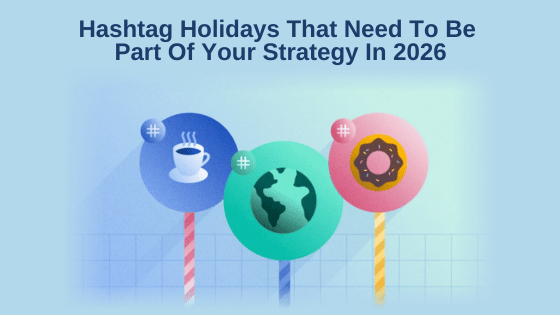
Social media may be saturated, but brand engagement isn’t dipping. But continued engagement doesn’t mean guaranteed
attention. Brands still have to earn it by finding relevant and timely ways to start and participate in conversations. Hashtag holidays are social media
moments that provide a natural entry point into conversations people are already primed to engage with. From #DressUpYourPetDay to #CustomerAppreciationDay, there are hundreds of hashtag holidays to choose from, and by selecting the right ones for your audience, you can reach your goals on social. We’ve curated a comprehensive list of the top hashtag holidays for 2026. Read on to learn more about how to find the right social-specific holidays to spice up your calendar and brand
examples that stood out to us from 2025.
Promotional ad My Latest PLR Video Package
High-Quality Brandable Videos You Won’t Hear Any ‘UM-BUTS’ Or ‘BUT-UMS’
In These Videos! Here Is A List Of The 12 Video Titles In This
‘Rebrand PLR Fast With AI’ Training Series
- Introduction
- Verify Original Content
- Rewrite Headings & Titles
- Breaking Up Your Text
- Headings and Sub-Headings
- Introductions & Conclusions
- Crafting FAQs
- Proofread The PLR
- Cover Image
- Change Content Tone
- Bullet Points
- Storytelling
Included are my learning guides with PLR as well as an Article Pack on the
same topic you can use yourself as traffic-pulling blog posts and resell them under your own brand - just like these videos. There are also a few optional add-ons if you want to go deeper. None of them are required to get full value from the main course. But here's a quick look if you're curious: Add-on 1 is a done-for-you prompt pack. This gives you a full library of copy-and-paste prompt templates and recipes so you're never starting from a blank screen. These are the exact prompts referenced throughout the course, plus more. Add-on 2 is a complete bonus PLR video course called PLR Alchemy, and it comes with custom video branding when you send me your logo. Great if you want even more done-for-you content to work with right out of the gate. Add-on 3 is the PLR Reseller package. This gives you
the rights to resell the Rebrand PLR Fast With AI course AND pass along user rights to your buyers. It also includes custom branding of the Rebrand PLR Fast With AI videos when you send me your logo. If you want to turn this into a product you sell yourself, this is the one that makes it possible. Again, the add-ons are completely
optional. The main course stands on its own.
Check out the Offer and the rest of the details inside
How To Create VIRAL Pinterest Pins That Sell Digital Products FAST In this video, I break down the four psychological triggers that actually get people to click on your pins: clarity, payoff, curiosity, and trust. I also show you real examples of my own pins, including impressions and click data from
the last 30 days, so you can see exactly how these strategies work in practice.
*Instructions & Downloadable Prompt Vault Spreadsheet Turn these/your prompts into a reusable asset. The easiest way to do that is with a simple Google Sheet. Create one sheet (or click here to get a copy of mine) and use one row per prompt. Drop in the prompt from each newsletter, make a quick note about what you used it for, and jot down what worked or didn’t. Over time, you’ll build your own prompt vault made up of prompts you already know work for your business. That is the goal of
this weekly section. Not just ideas, but assets you can reuse again and again. *NOTE: Using my Google Sheet template, you will be asked to make a copy instead of asking me for editing permission of the original. Once you click the Make Copy button, the sheet will be added to your Google Drive. If you are not
already logged into a Google account, it will prompt you to log in. Once you have the “Copy of Weekly Prompt Vault,” you can click into the title area (top-left) and change the name to whatever you want or leave it - it’s yours to do with whatever you want.
Next is the 'Heart' of my biz, Google
Workspace Google Workspace has my email, online storage, Gemini Pro and other AI tools (Nano Banana, NotebookLM, Veo 3.1, and More) My Link takes you to the pricing and features page. Personally I have 1 Standard (for the extra
storage and upgraded AI tools), and 4 Starters for my various domains and the 'business' level email service. Here is my link and if after having a look, you want a Starter or Standard plan, let me know and I'll provide a 10% discount coupon for an entire year for whichever plan you choose. https://referworkspace.app.goo.gl/Xouo
Next is the payment processor My Payment Processor: Thrivecart
|
|



 Thank you for checking out this week's Newsletter. Here is a little house cleaning while you are here:
